
Most web browsers like Google Chrome, Apple Safari, and Mozilla Firefox include capable password managers built directly into the software. These tools generate strong codes, save login credentials automatically, and fill them in when you visit trusted sites. Because they come pre-installed on your computer or tablet, you never have to spend extra cash on fancy security software.
You only need to remember one primary password to lock your device or browser profile. Just make sure you turn on device screen locks like a PIN or fingerprint scan. That single step keeps family members or curious guests from opening your browser and seeing all your stored browser managers data.
2. Create Three-Word Passphrases Instead of Random Characters
Traditional advice tells us to invent complicated strings of random numbers, symbols, and mixed letters that nobody can ever memorize. A far better method involves stringing together three or four unrelated, familiar words to build a massive barrier against automated hacking software. Think of combinations like “BlueOrchardPancake7” or “GraniteRiverSinging4” whenever a website asks for an update.
Longer phrases provide mathematically superior protection compared to short, scrambled words. They are remarkably easy to type on an iPad keyboard without hunting for special characters. Creating a unique passphrase for each major service stops one breach from ruining your entire digital footprint.

3. Build Affordable Online Password Safety Habits for Retirees with Bitwarden
Bitwarden offers an exceptional zero-cost tier that synchronizes your private logins across unlimited phones, tablets, and desktop computers. Learning to use dedicated open-source software represents one of the most effective affordable online password safety habits for retirees today. It encrypts your database on your local device before anything ever syncs to cloud servers.
You get robust password auditing features that alert you if an existing login appeared in a public corporate data breach. The interface remains clean, accessible, and free of annoying popup advertisements. Installing this open-source vault takes less than ten minutes and costs nothing over the lifespan of your retirement.
4. Secure a Physical Offline Logbook with Smart Rules
Keeping a dedicated paper notebook inside your house is a surprisingly safe strategy if you live away from busy shared spaces. Hackers across the globe cannot remotely crack a physical book resting quietly inside your desk drawer. Writing entries with a pencil lets you update changed passwords without messy crossed-out ink.
Hide the book in a private location away from entryways, and never label the cover with the word passwords. Try using coded hints instead of writing out exact phrases if you frequently host visitors or contractors. That slight disguise keeps your personal data safe even if someone accidentally spots the pages.

5. Turn on Free Two-Factor Authentication via Text or Email
Every major bank, medical portal, and email provider now offers secondary verification steps at no charge. When you sign in, the system sends a quick six-digit code to your mobile phone or backup email address to verify your identity. This extra layer stops criminals in their tracks even if they somehow discover your primary password.
Setting this up requires only a few clicks inside your account security settings. Keep your cell phone handy when logging in from a new computer to enter the code promptly. Relying on two-factor authentication adds an ironclad wall around your retirement accounts without costing a dime.
6. Stop Reusing Master Codes Across Financial Platforms
Recycling the same beloved password across your banking apps, credit card portals, and grocery delivery accounts invites major trouble. When a minor shopping website suffers a data leak, scammers immediately test those stolen credentials against major banking institutions. Developing affordable online password safety habits for retirees means giving every financial institution its own distinct key.
Begin by changing the passwords on your primary checking, savings, and investment accounts first. You do not have to update fifty social media accounts in one afternoon. Focus strictly on isolated logins for critical money accounts to safeguard your nest egg immediately.
7. Set Up Free Family Account Recovery Contacts
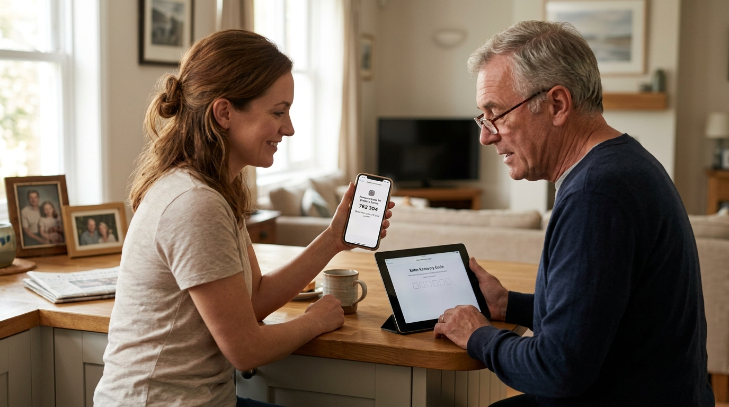
Major technology ecosystems from Apple and Google permit users to designate trusted family members as official account recovery contacts. If you ever forget your master password or lose access to your tablet, your chosen relative can generate a secure recovery code. This safety net prevents you from getting permanently locked out of precious family photo archives and essential emails.
Your designated contact never gains direct access to your personal files or messages. They simply hold a digital verification token that proves your true identity when needed. Establishing this trusted contact relationship takes five minutes and eliminates expensive technical support fees down the road.
8. Clear Browser Autofill Data on Public or Shared Tablets
Public library computers and shared devices at senior community centers should never remember your private login information. Always select the private browsing or incognito window whenever you must check an account on a machine that belongs to someone else. Web browsers will automatically wipe your temporary cookies and cached data the moment you close that private session window.
Remember to explicitly click the sign out button on any website before walking away from the keyboard. Never allow browser popups on public computers to remember usernames or credit card numbers. Cultivating these private browsing routines costs nothing and shields your identity from whoever sits down next.
9. Use Free Password Generators on Official Sites
Struggling to invent new passwords causes many people to fall back on obvious patterns like grandchildren names or birth years. Free password generation tools created by reputable companies like 1Password or Bitwarden produce instantly unbreakable combinations right in your web browser. You do not even need to create an account or provide an email address to use these online web tools.
Simply slide the length setting to sixteen characters, click generate, and copy the resulting string into your signup form. Paste the new code immediately into your safe physical notebook or browser vault. Adopting an automatic generator removes the mental fatigue of constantly inventing creative new phrases.
10. Update Your Router and Device Firmware Regularly
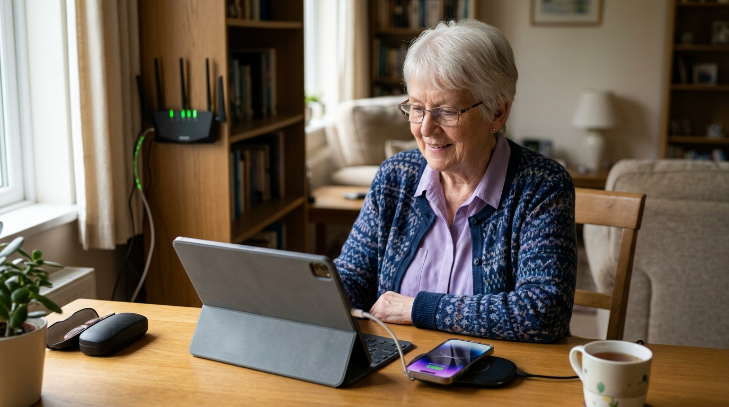
Security patches from hardware manufacturers fix known vulnerabilities that criminals exploit to intercept online passwords traveling across home networks. Keeping your iPad, smartphone, and home internet router up to date ensures your encrypted passwords remain unreadable to outside snoopers. Manufacturers release these vital operating system updates completely free of charge.
Enable automatic updates in your device settings menu so your hardware installs fixes overnight while charging. Restart your home internet Wi-Fi router once every couple of months to clear temporary system memory. Maintaining current firmware updates ensures affordable online password safety habits for retirees actually hold up against evolving threats.
11. Ignore Urgent Login Reset Requests Sent by Text
Fraudulent text messages claiming your bank account has been frozen rely on artificial panic to steal your private logins. Scammers create realistic counterfeit web pages designed to record your credentials the second you attempt to log in. Legitimate banks and financial institutions will never send text messages demanding immediate password changes through unverified links.
Delete unsolicited text alerts and go directly to your bank official website by typing the address yourself. Call the customer service number on the back of your physical debit card if you feel genuine concern. Practicing fraud awareness costs zero dollars and prevents costly identity theft traps before they start.
12. Store Emergency Backup Codes in a Fireproof Box
Whenever you enable multi-factor protection, websites provide a set of one-time emergency recovery codes to print or write down. These numerical backup codes allow you to regain account access if you ever lose or break your mobile phone. Printing these sheets immediately ensures you never get permanently locked out of your retirement pensions or email accounts.
Place your printed emergency codes inside a secure fireproof lockbox alongside your social security card and home deed. Keep this storage container in a dry, accessible area known only to you and your chosen executor. Investing in basic offline storage preserves your digital legacy without ongoing software subscriptions or expensive recovery services.
Frequently Asked Questions
Are affordable online password safety habits for retirees safe against modern hackers?
Yes, because strong security comes from smart behavior rather than expensive software. Simple routines like creating long passphrases, enabling two-factor verification, and using free password managers provide the exact same technical encryption standards found in premium commercial security suites. You do not need costly subscriptions to stay safe.
Is it safe to write passwords in a physical notebook?
Writing passwords in a notebook is safe for most people at home because digital hackers cannot access physical paper. Just keep the book away from plain sight and avoid labeling the front cover. If you regularly have visitors, write subtle word hints rather than exact letters and numbers.
What should I do if a website demands a password change every month?
Do not simply change the last number of your old password. Instead, rotate a single word within your favorite passphrase structure. For example, change SummerGarden24 to AutumnGarden24. This habit keeps the code memorable for you while maintaining high mathematical complexity that automated cracking tools cannot easily predict.
Can I trust free password managers on Apple or Android devices?
Built-in vaults like Apple Keychain and Google Password Manager use high-grade encryption to protect your data. They receive frequent security updates directly from major operating system developers at no cost. As long as your device has a strong screen lock PIN, these integrated tools remain remarkably safe.
How do I help an aging parent manage dozens of complex passwords?
Start by setting up a free password manager on their primary tablet or computer and import their most critical logins first. Pair this with a clean physical notebook for offline reassurance. Help them turn on biometric fingerprint or facial logins so they avoid typing errors.
Conclusion
Protecting your hard-earned retirement accounts comes down to consistent, simple actions rather than expensive tech gadgets. Pick just one or two of these easy habits to put into place this afternoon, and watch how quickly your digital stress disappears. Which free safety tip are you planning to try out first?