Windows users can cut down glare instantly by configuring built-in color temperature profiles. Open Settings, head over to System, click Display, and toggle on Night light to shift the harsh blue spikes into soothing amber tones. Adjust the strength slider to at least seventy percent for noticeable relief, especially if fluorescent office lights already trigger sensory overload. Most people leave the default strength at fifty percent, which barely takes the edge off during a photophobic migraine flare.
Take things a step further by scheduling this feature to stay active twenty-four hours a day. Windows allows manual schedule overrides, so choose custom hours like 12:00 AM to 11:59 PM to lock the warmer tint permanently. If text starts looking muddy, calibrate your clear type text settings in the control panel to maintain sharp contrast without increasing brightness. This keeps your ciliary eye muscles from straining while reading long spreadsheets or emails.
macOS Night Shift and True Tone Tweaks
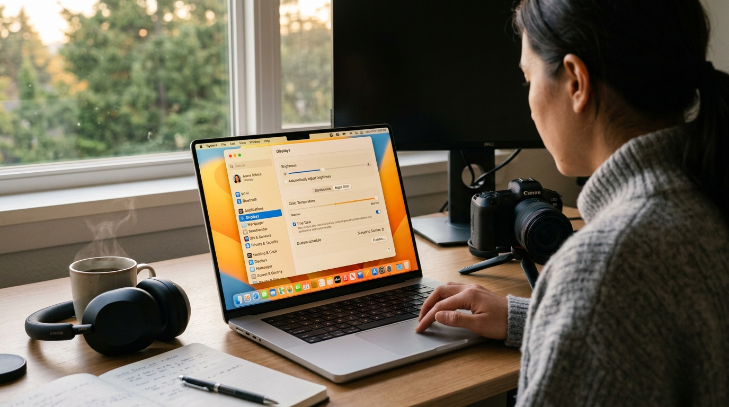
Apple provides exceptionally smooth transition tools that blend screen warmth into your surroundings. Open System Settings, select Displays, and click the Night Shift tab to schedule a custom warmer color balance from sunrise to sunset. Push the color temperature slider all the way toward the warmer side so whites render as soft cream rather than piercing icy blue. Pair this with the True Tone option if your MacBook supports it, because ambient light sensors adjust screen warmth dynamically throughout the day.
A common trap involves relying solely on automatic brightness controls. macOS often jacks up display intensity under direct overhead light, triggering instant temple throbbing. Disable automatic brightness adjustments under the advanced display menu and manually lock your screen between thirty and forty percent. When I work through long editing sessions, keeping the warmth locked at maximum prevents the fuzzy aura that usually signals an oncoming attack.
iPhone and iPad Display Accommodations
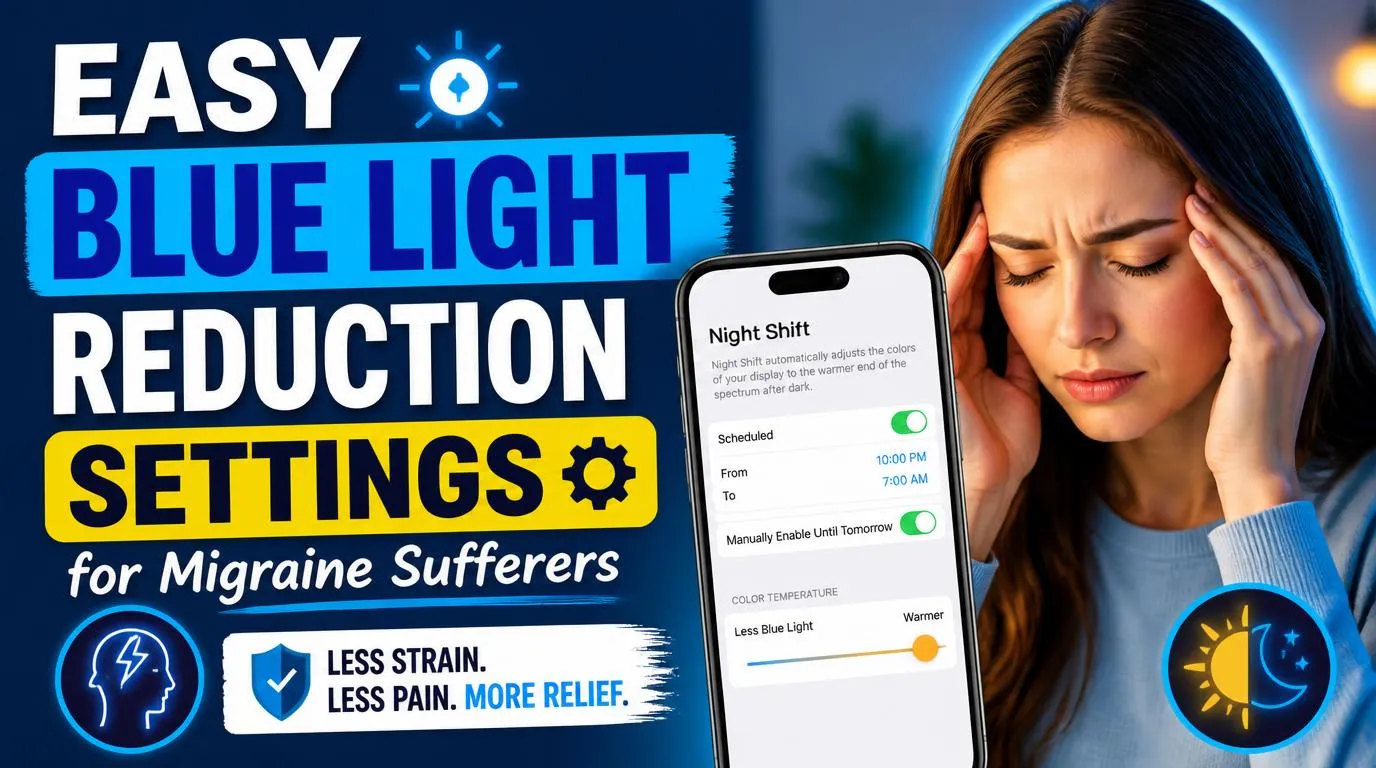
Smartphones sit closer to your eyes than desk monitors, which means hand-held devices often deliver the most punishing light dose. Open Accessibility inside your iPhone settings, tap Display and Text Size, and activate Color Filters for an aggressive reduction in blue wavelengths. Choose the Color Tint option, pull the hue slider toward amber or red, and raise intensity until the display loses all sharp white tones.
Add this feature to the Accessibility Shortcut menu by assigning it to a triple-click of the side power button. This instant toggle gives you immediate defense whenever an unexpected migraine attack hits in a bright store or moving vehicle. Make sure you also switch on Reduce White Point, setting it to eighty percent. Dimming harsh whites without crushing the backlight protects your vision from flicker, creating a soft display that feels gentle on sensitive retinas.
Android Eye Comfort Shield and Bedtime Mode
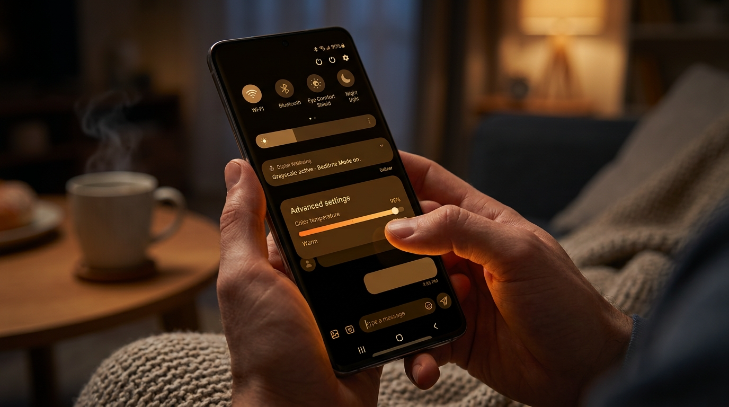
Android manufacturers package their blue blockers under various names, but Samsung and Google make activation simple. Swipe down your quick settings panel and long-press the Eye Comfort Shield or Night Light tile to pull up advanced warmth controls. Set the color temperature slider past eighty percent warmth, and select the custom schedule to run all day long. Applying easy blue light reduction settings for migraine sufferers on mobile devices stops rapid optical fatigue before physical nausea sets in.
Many Android users forget to enable Bedtime Mode or grayscale mode inside the Digital Wellbeing menu. Removing vivid saturated colors reduces the visual processing burden on your neurological pathways during a rough sensory day. If your phone uses an OLED panel, switch system dark mode on across all compatible apps. True black backgrounds turn off individual pixels entirely, eliminating unnecessary light emission straight at the source.
Third-Party Apps for Granular Blue Light Control
Built-in operating system filters sometimes lack the depth required to stop intense light sensitivity. Installing f.lux provides complete control over exact Kelvin color temperatures, dropping screen outputs down to 2700K or even candlelit 1900K levels. The software bypasses standard platform limitations and removes high-energy visible light without washed-out gray artifacts. You can set specific profiles for daytime reading, cloudy afternoons, and late night writing sessions.
Another fantastic tool for multi-monitor setups is Iris, which controls PWM screen flicker alongside color hues. Pulse width modulation dims monitors by strobing the backlight rapidly, a hidden trigger that wrecks havoc on migraine brains. Iris dims the screen digitally rather than pulsing hardware backlights, keeping the image steady and comfortable. IMO, pairing custom software with your operating system tools produces the most reliable shield against sudden sensory crashes during long workdays.
Easy Blue Light Reduction Settings for Migraine Sufferers on External Monitors
Desktop monitors ship from the factory with exaggerated brightness and cool color temperatures designed to look punchy in retail showrooms. Grab the physical buttons on your monitor bezel to open the on-screen display menu and select the built-in Low Blue Light mode immediately. Most modern displays from Dell, ASUS, and BenQ offer dedicated settings that cut short-wave blue emission at the hardware level. Pick the strongest multimedia or reading preset rather than the standard gaming profile.
Fine-tune your hardware color channels manually if presets still feel too cold. Drop the blue color channel slider to twenty percent, keep green around seventy percent, and leave red near ninety percent. This manual calibration establishes warm, sunset-style tones across all connected inputs. Implementing easy blue light reduction settings for migraine sufferers at the hardware stage ensures consistent protection, even if an operating system update suddenly resets your software preferences.
Browser Extensions and Dark Reader Optimization
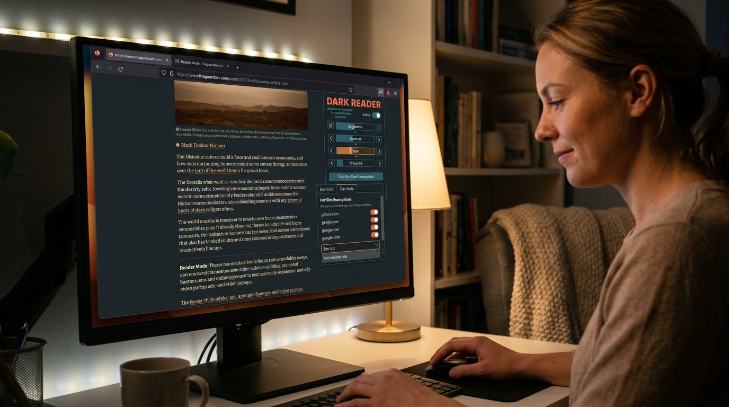
Web browsing creates unique discomfort because countless websites still rely on stark white backgrounds. Install the open-source extension Dark Reader on Chrome, Firefox, or Brave to invert bright web pages into high-contrast dark themes on the fly. Open the extension menu to adjust sepia tones, brightness sliders, and contrast levels until web pages look warm and readable. This removes the flashbang effect when clicking between dark software tools and blinding white search results.
Configure per-site exemptions if certain pages show inverted image colors or broken layouts. Whitelisting specific sites allows you to preserve clean rendering while applying warmth everywhere else. Combine your browser extension with reader modes on news portals to strip away animated sidebars, moving banner ads, and distracting video popups. Cleaning up busy web designs prevents visual clutter from triggering sensory overload during an exhausting prodrome phase.
Ambient Lighting and Glare Adjustments
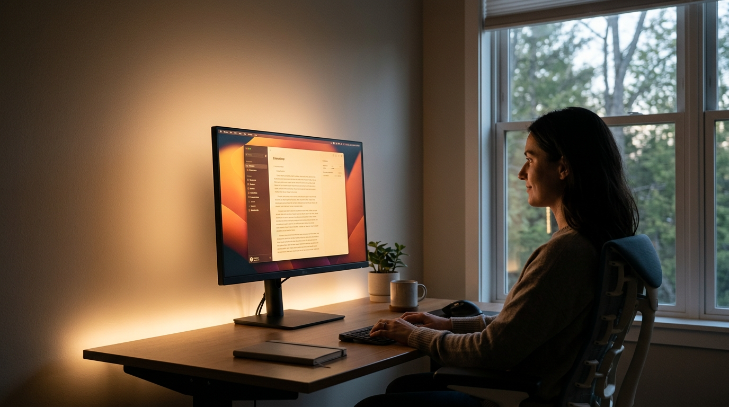
Even the warmest display profile will trigger pain if your physical workstation environment works against your eyes. Mount warm LED bias lighting behind your primary desk monitor to cast a soft halo against the back wall. This subtle glow raises ambient room light without creating direct reflections on the glass panel. It eliminates high contrast between a glowing screen and a pitch-black room, which frequently sets off sharp migraine episodes.
Position your desk perpendicular to bright windows rather than facing them directly or sitting with them at your back. Direct backlighting causes severe silhouette eye strain, while light from behind casts annoying screen reflections. FYI, anti-glare matte screen protectors offer a cheap physical upgrade if overhead office tubes reflect directly onto your workspace. Establishing easy blue light reduction settings for migraine sufferers works ten times better when your physical surroundings support your screen adjustments.
Frequently Asked Questions
What color temperature provides the most relief for migraine attacks?
Aim for warm color temperatures between 2700K and 3400K for everyday tasks. If a severe migraine aura starts creeping in, push your display down to a deep amber 1900K. This spectrum eliminates the short-wave blue spikes that stimulate photophobic pain receptors in the brain.
Are built-in blue light features enough on their own?
Default operating system filters help, but they usually default to weak warmth levels. You need to push the strength slider past seventy percent and schedule it for continuous use. Pairing built-in tools with low screen brightness and dark mode delivers far more comprehensive comfort during tough work hours.
Which easy blue light reduction settings for migraine sufferers work best on phones?
Activate the built-in color tint under your accessibility menu alongside the standard night mode slider. Setting up an accessibility triple-click shortcut on iOS or Android lets you instantly drop white points and convert screen hues to soothing amber whenever intense indoor lighting triggers optical discomfort.
Do blue light blocking glasses work better than software settings?
Physical FL-41 tinted glasses filter both screens and harsh ambient fluorescent lights, providing mobile defense anywhere you walk. However, software adjustments cost nothing and eliminate blue wavelengths directly at the light source. Combining calibrated display settings with specialty glasses offers the strongest defense against painful sensory triggers.
Why does high screen contrast make migraine symptoms worse?
Stark contrast between pure black text and blinding white backgrounds forces your iris to contract constantly. This continuous micro-adjustment triggers muscle fatigue around your optical nerve. Softening the background into warm charcoal or sepia balances light distribution and relieves physical strain across your visual pathways.
Conclusion
Tuning your screens takes only a few minutes, but it completely changes how your eyes and brain handle long digital workdays. Start with hardware color warmth, lock your night modes around the clock, and let your visual pathways finally relax. Which setting made the biggest difference in calming your screen-triggered head pain?