Standard time management advice tells you to use willpower, set a simple timer, or sit in a quiet room. For someone with ADHD, that advice is completely useless. Our brains live in a constant dopamine deficit, which means we are naturally wired to seek out high-stimulation tasks over boring, hard work. When you sit down to write a report, your brain perceives the low-dopamine task as almost physically painful, causing you to instantly seek a hit of excitement from a news feed or a chat thread.
You cannot out-willpower a neurochemical deficit. The solution is to make distraction so incredibly difficult that your brain decides completing the actual task is the path of least resistance. By inserting heavy physical and digital speed bumps between you and your bad habits, you bypass the need for self-control entirely. This is not about being lazy or lacking discipline. It is about biology. Once you accept that your brain will always look for the exit ramp, you can start building walls on those exit ramps before you even sit down to work.
Phase 1: Nuclear software tools for your quick distraction blocking setup for adults with ADHD
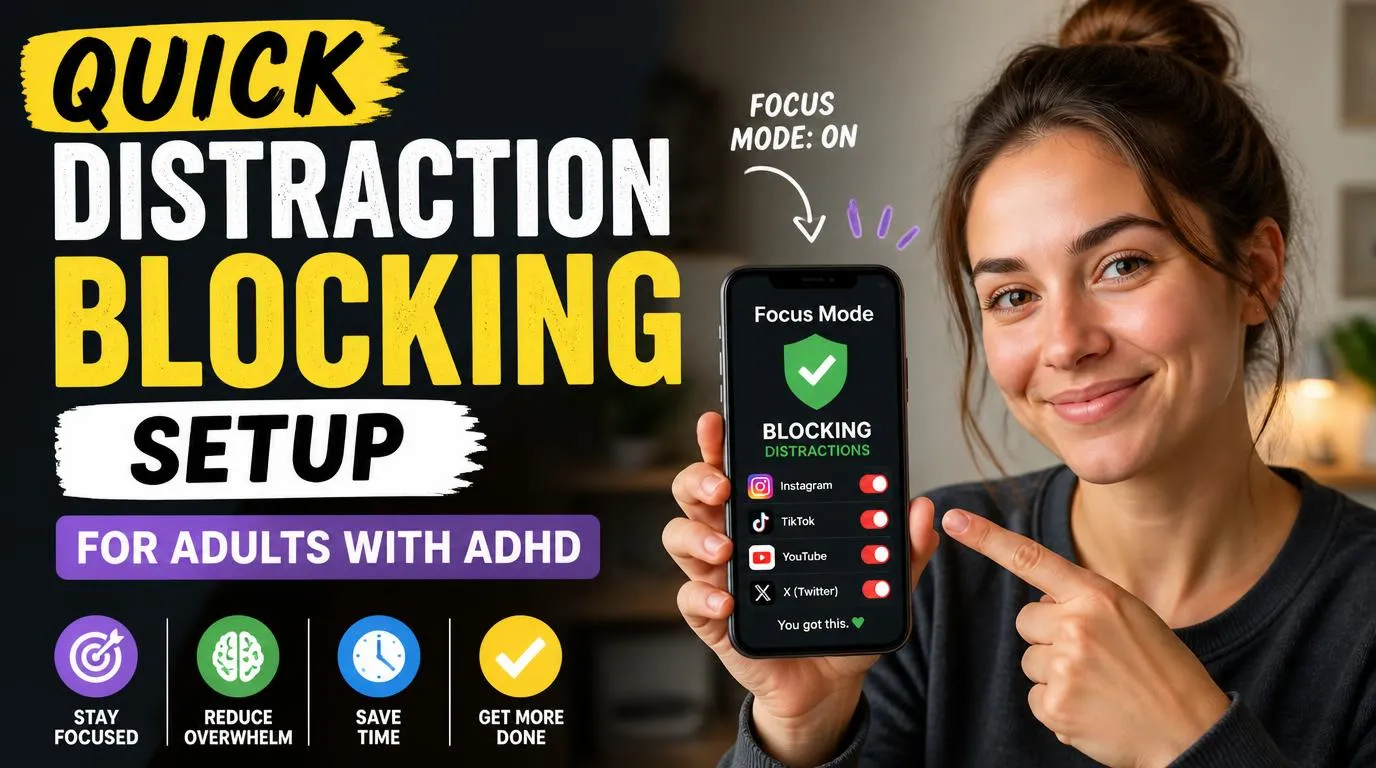
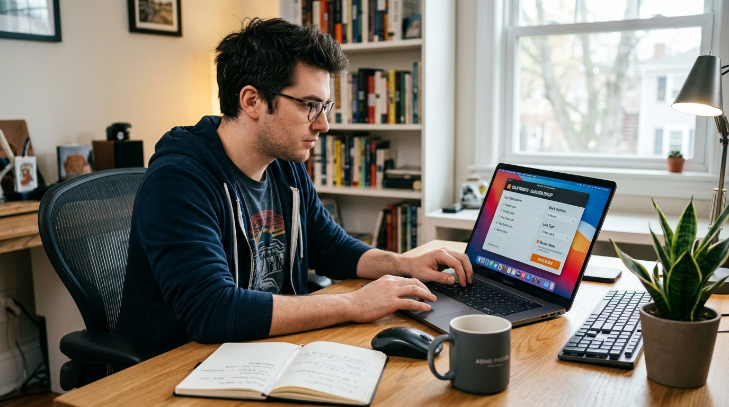
Starting with your digital environment is the easiest win because apps can be ruthless. A standard blocker that you can turn off with a single click is a joke to an ADHD brain in search of a dopamine hit. You need a program with a hard-locking feature that physically prevents you from disabling it once the timer starts. Cold Turkey for Windows or Freedom for Mac and iOS are the gold standards here because they do not negotiate.
Setting up this quick distraction blocking setup for adults with ADHD takes less than ten minutes. Simply install the program, input your top five black hole websites, choose a locked timer, and hit start. If you try to disable Cold Turkey mid-session, it can block your settings, prevent your browser from opening, or even lock you out of your system entirely depending on how strict you set it. Knowing that you literally cannot access those sites removes the constant mental debate of whether you should take a quick peek. I used to waste hours trying to find workarounds, but when the software says no, my brain quickly gives up and redirects that energy back to my actual work.
Phase 2: Create a physical phone vault
Your smartphone is a portable dopamine dispenser designed by world-class engineers to steal your attention. Leaving it on your desk, even face down, drains your mental energy because your brain has to actively work to ignore it. To fix this, you must introduce extreme physical friction.
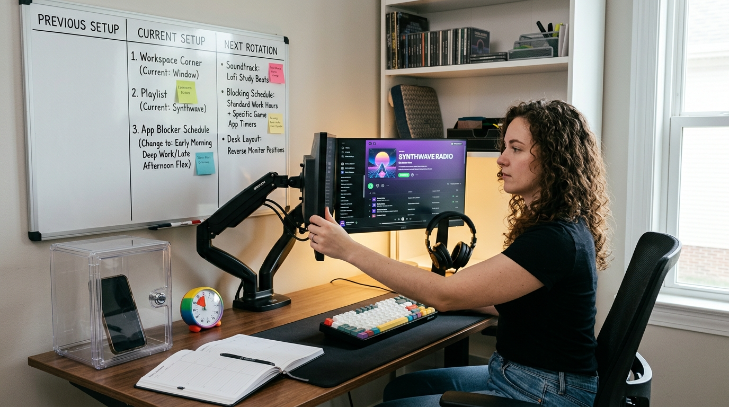
The most effective tool for this is a timed lockbox like the kSafe. You drop your phone inside, turn the dial to lock it for two hours, and press the button. There is no override code, no bypass, and no sneaky way out unless you want to smash fifty dollars worth of plastic with a hammer. If you cannot afford a lockbox, place your phone in a drawer in another room and put a heavy object on top of it. The physical effort of getting up, walking to the other room, and moving the obstacle gives your rational mind a chance to wake up and stop the impulsive behavior before it happens. It sounds dramatic, but removing the physical sight of the device shuts down the background loops in your head that constantly wonder if you have a new notification.
Phase 3: Purge algorithm feeds from your web browser
Sometimes you genuinely need the internet to get your work done, which makes wholesale site blocking impossible. The danger here is the homepage feed, whether it is the YouTube sidebar, the Reddit front page, or the LinkedIn timeline. You open the site to find one specific link and end up drowning in the feed for forty minutes.
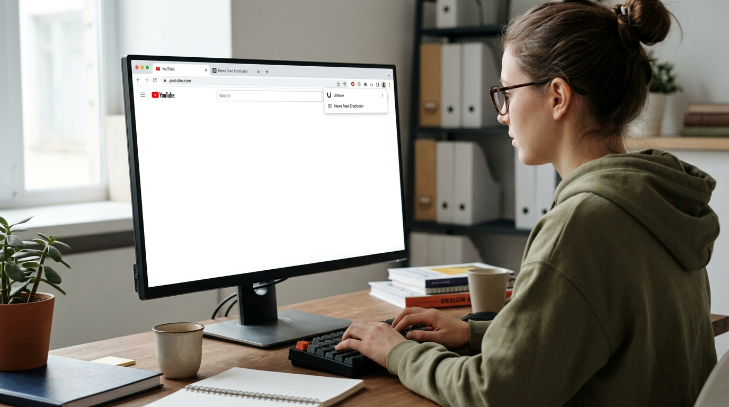
Installing browser extensions that act as feed eradicators will solve this instantly. Tools like Unhook for YouTube completely wipe out the recommended videos, sidebar, and comments, leaving you with nothing but a blank search bar. For general social media, extensions like News Feed Eradicator replace your entire timeline with a single, boring motivational quote. This setup allows you to use the utility of these platforms without getting sucked into the infinite scroll loops that feast on your attention span. It turns the highly addictive, engineered modern web back into a simple, static tool that only responds when you ask it a direct question.

Phase 4: Curate a high-stimulation audio barrier
A silent room is often an enemy to the ADHD mind because your brain will fill the quiet with its own loud, chaotic thoughts. You need just enough background stimulation to occupy the hyperactive part of your brain while your focus settles on your work. This is why standard acoustic music or nature sounds often fail, they are simply too boring to keep you anchored.
My secret weapon is listening to video game soundtracks because they are specifically composed to keep players focused, energized, and moving forward through complex tasks without distracting them with lyrics. Tracks from games like Skyrim, SimCity, or Portal work beautifully. Alternatively, you can run high-frequency brown noise through noise-canceling headphones to mask the tiny household sounds that usually pull you out of your flow state. The key is to have these playlists ready to go so you do not waste thirty minutes scrolling through Spotify trying to find the perfect vibe. Make it a rule to press play before you even open your laptop, turning the sound into an instant Pavlovian cue for deep work.
Phase 5: Build a low-friction physical workspace
The state of your desk directly impacts your mental bandwidth. If you sit down to work and see a pile of mail, three half-empty coffee mugs, and a stray fidget toy, your brain will immediately latch onto those objects as an excuse to avoid the hard task. This physical clutter creates a subtle, constant drag on your attention.
To counter this, design your desk with tactile friction in mind. Clear everything off your work surface except for your computer, a glass of water, and a physical notebook for scribbling down distracting thoughts that pop into your head. If a sudden task or random question occurs to you, write it down in the notebook to deal with later, then immediately return to your work. This acts as a physical external hard drive for your brain, keeping your digital workspace clean while honoring your brain’s need to register sudden ideas. The physical notebook is the final piece of a quick distraction blocking setup for adults with ADHD because it prevents those fleeting thoughts from turning into browser tabs that derail your entire afternoon.
How to maintain your setup when the novelty wears off
Any ADHD setup works beautifully for the first week because it is new and exciting. But eventually, the novelty fades, and your brain will start looking for cracks in the armor. You will find yourself trying to bypass your blockers, or you will start ignoring your phone vault.
To keep this system working, you must use novelty rotation to stay ahead of your own cleverness. Change your blocking schedules every couple of weeks, swap out your video game soundtracks for synthwave playlists, or move your workspace to a different corner of the room. When you notice yourself starting to cheat the system, do not view it as a failure. Treat it as a sign that your brain has adapted, and it is time to shift the friction points to keep things interesting. Keeping the system dynamic ensures your brain cannot build a tolerance to the barriers you have put in place to protect it.
Frequently Asked Questions
What is the best app for a distraction blocking setup for ADHD minds?
Cold Turkey for PC and Opal for iOS are outstanding because they offer lock modes that prevent you from uninstalling the app or stopping the timer. This creates the absolute, unyielding friction that an impulsive brain needs to stay on task.
Can I bypass these blockers when I have an emergency?
Most nuclear blockers allow you to whitelist specific essential sites or communication tools. You can set up your system to block general social media while keeping your work email and messaging open, protecting you from complete isolation while halting mindless scrolling.
How do I stop myself from just looking at my phone anyway?
Physical separation is key here. If your phone sits in a timed lockbox in another room, the physical effort required to retrieve it gives your prefrontal cortex enough time to override the impulsive urge to check notifications.
Why does white noise make me feel more distracted?
White noise can sometimes feel too harsh or static for sensitive ears. Many neurodivergent people find brown noise or pink noise far more soothing because they emphasize lower frequencies, which helps to mask sudden household sounds without sounding like static.
Does a quick distraction blocking setup for adults with ADHD stop working after a while?
Do a quick five-minute audit every Sunday evening. Your brain will always find new online rabbit holes, so adding those fresh distractions to your blocklist weekly prevents your setup from becoming obsolete as your interests inevitably shift.
Conclusion
Building this system is about protecting your limited energy from a world designed to steal it. Once you remove the option to wander, your brain naturally settles into the task at hand. What is the first blocker you are going to set up today?